Mark YouTube videos as watched, in one click
Jugleey displays a badge on thumbnails of videos you've already watched. Spot them at a glance before you click.
100% free. No account required.
The problem
YouTube doesn't remember what you've watched
You scroll through your recommendations and come across a video. You click, watch 30 seconds... and realize you've already seen it. It's frustrating and a waste of your time.
of users accidentally re-watch videos
lost per month due to already-watched videos
videos on YouTube with no tracking system
Features
Everything you need

Mark your videos as watched
A single click to mark a video as watched. The icon appears instantly on the thumbnail.
A badge on every thumbnail
Spot already-watched videos at a glance thanks to the badge displayed directly on YouTube.
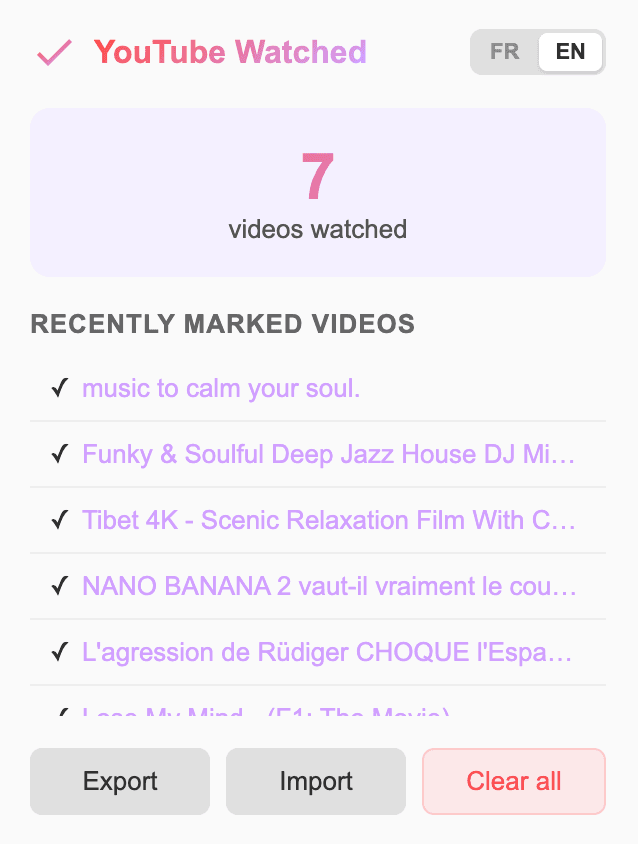
Your dashboard at a glance
Track your watched videos, browse your history, and manage your data — all from the extension popup.

Your data stays private
All your data is stored locally in your browser. Nothing is sent to any server. You're in full control.
No setup needed
How it works
Install the extension
Add Jugleey to Chrome in one click. No setup required.
Browse YouTube
Browse YouTube as usual. Jugleey works in the background.
Mark and spot
Click the icon to mark a video. The badge appears on the thumbnail.
How to install the extension
Jugleey is not yet available on the Chrome Web Store. You can install it manually in a few steps using Chrome's developer mode.
- 1
Click the button below to download the .zip file
- 2
Unzip the downloaded file to a folder on your computer
- 3
In Chrome, type
chrome://extensionsin the address bar and press Enter - 4
Enable the Developer mode toggle in the top right corner of the page
- 5
Click the Load unpacked button that appears in the top left
- 6
Select the unzipped folder — the Jugleey icon will appear in your browser toolbar
Compatible with Chrome and Chromium browsers (Edge, Brave, Opera...).
Frequently asked questions

Hi, it's Daniel
Indie developer and product maker.
I build tools that solve real, everyday problems.
I built Jugleey because I was tired of stumbling on YouTube videos I'd already watched, so I built my own and made it free for everyone.
@leinadiotech on X